-2.png?width=567&height=119&name=iScribe_Logo%20(2)-2.png)
Follow the steps in the images below:
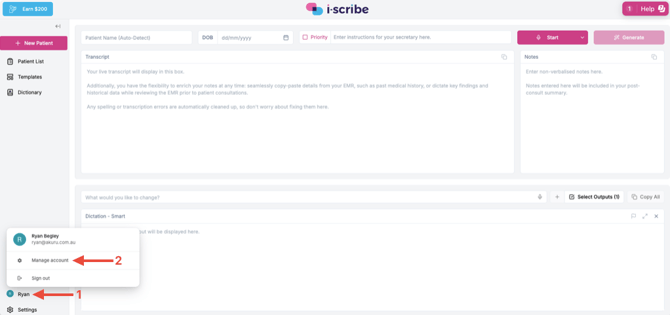
- Click the profile name (red arrow #1)
- Click Manage account (red arrow #2)
Then:
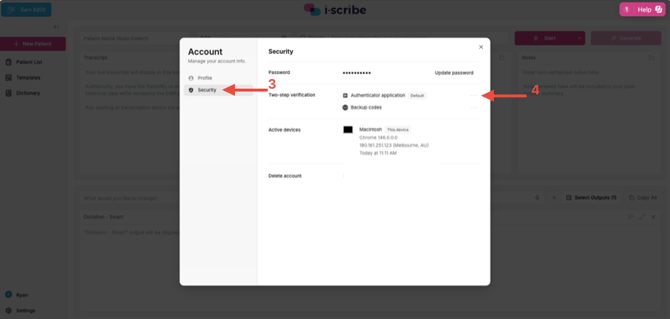
- Click Security (red arrow #3)
- If you want to remove two step authentication you can click Remove after clicking the three dots (red arrow #4)
- There will also be an option to add two step verification if it's not currently set up
Please let us know if you have other questions