How do I adjust Two Step Authentication?
Follow the steps in the images below:
You can add or remove two step authentication with the steps below
Follow the steps in the images below:
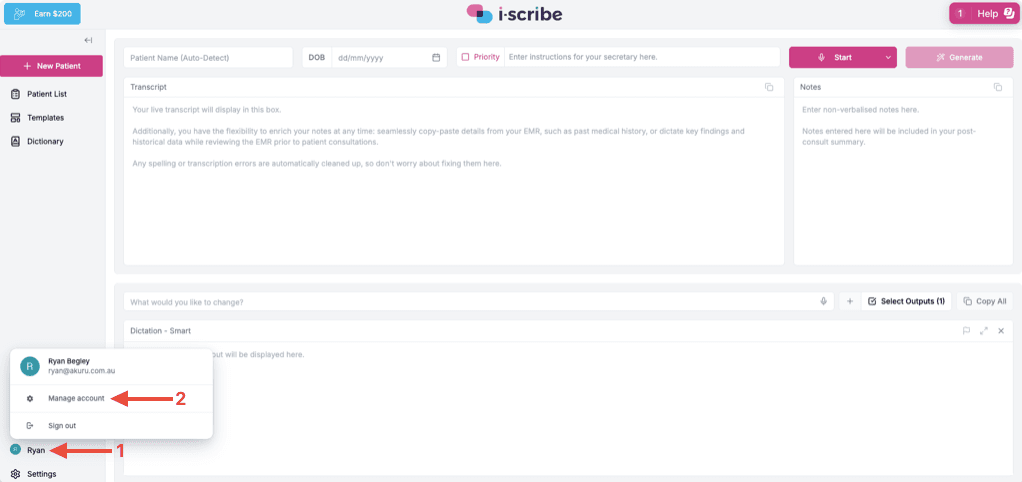
- Click the profile name (red arrow #1)
- Click Manage account (red arrow #2)
Then:
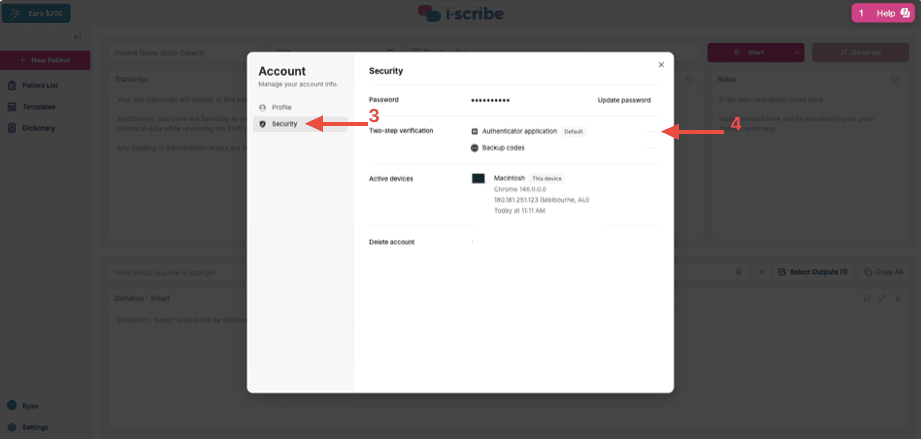
- Click Security (red arrow #3)
- If you want to remove two step authentication you can click Remove after clicking the three dots (red arrow #4)
- There will also be an option to add two step verification if it's not currently set up
For more on how Akuru keeps your account and data secure, see theAkuru Trust Centre.
Please let us know if you have other questions
Was this guide helpful?