How to change your phone number in i-scribe
Step 2 - Manage Account
Summary:
Step 1 - Click Settings
Step 2 - Manage Account Step 3 - Select "+ Add phone number" and/or Step 4 - Select "..." (then "Remove phone number" or "Set as primary").
Detailed Steps:
Image 1 (below):
- Arrow # 1: Click settings
- Arrow # 2: Click "Manage Account"
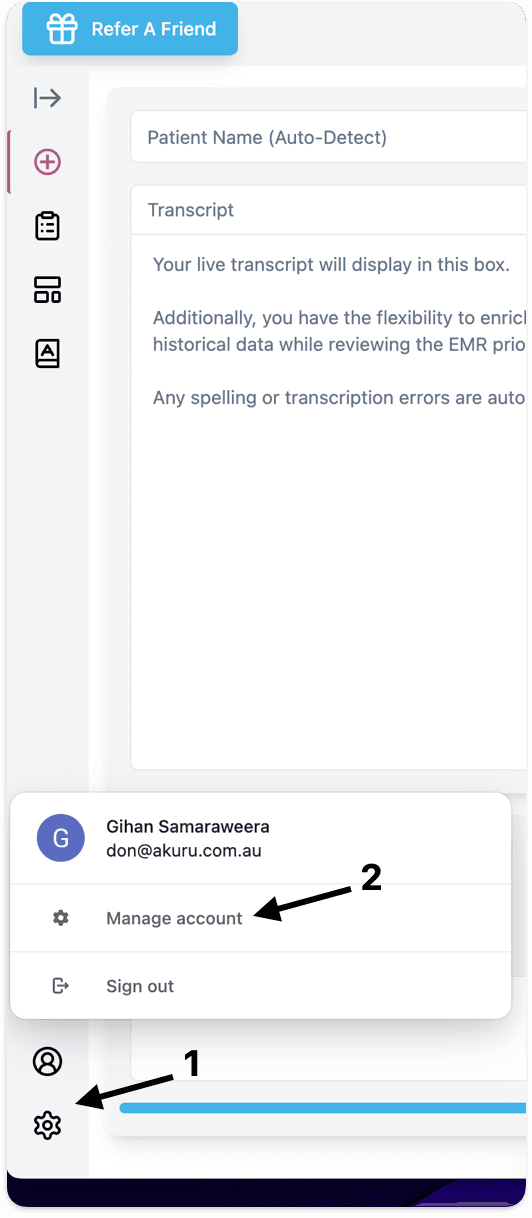
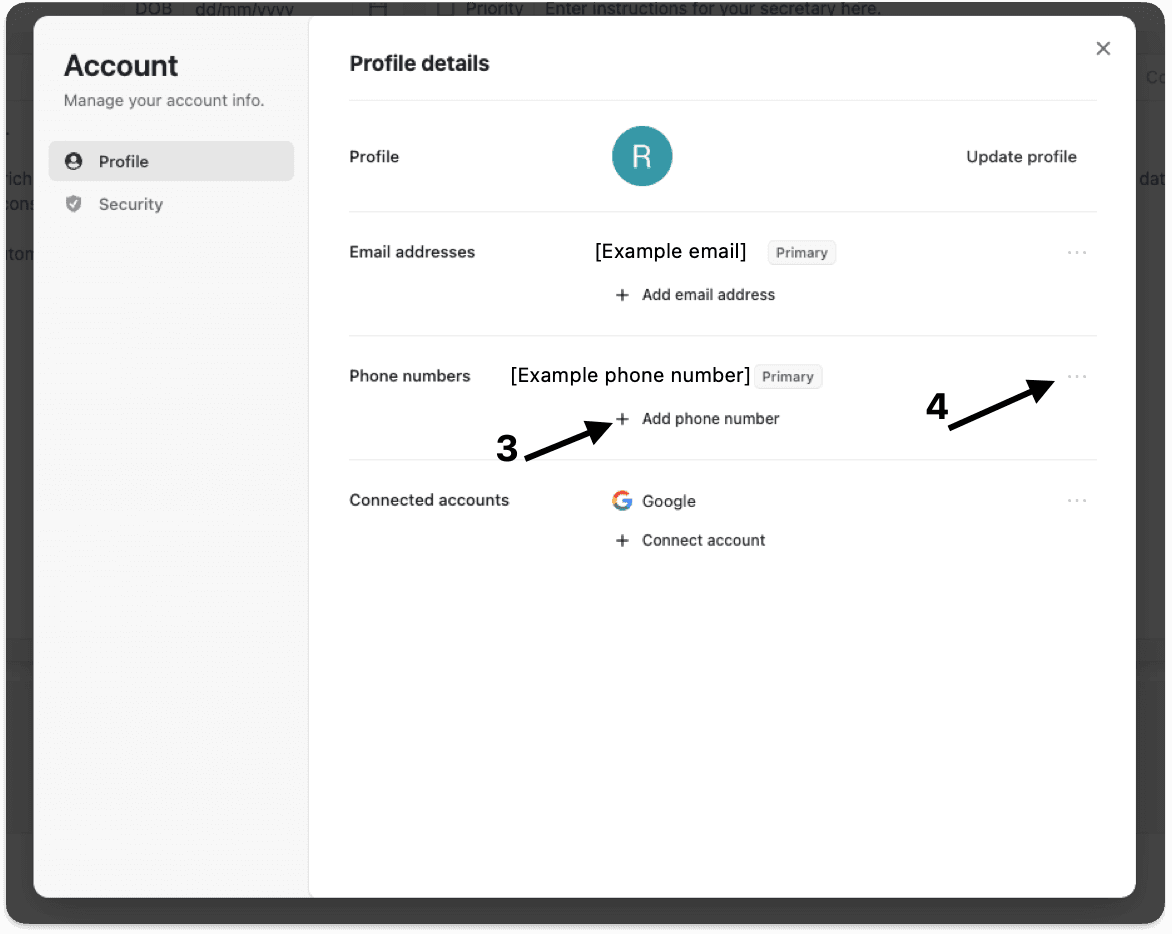
Image 2 (below):
- Arrow # 3:
- If you need to add a new phone number, click "Add phone number"
- It will say "Primary" next to yourPrimary phone number.
- Arrow #4:
- Click the three dots, if you want to either "Set as primary" or "Remove phone number",
If you don't see the option "Set as primary", it's because the phone number is already set as you Primary email address.
Please let us know if you have other questions
Was this guide helpful?