How to flag an output
1. Click the flag icon shown (see image below)
How to let us know about an error/issue
- Click the flag icon shown (see image below)
- Select the flag for the appropriate output (see image below)
- E.g.Number 1 (below) would create a flag for thePatient Letter
- E.g.Number 2 (below) would create a flag for theMedical Note
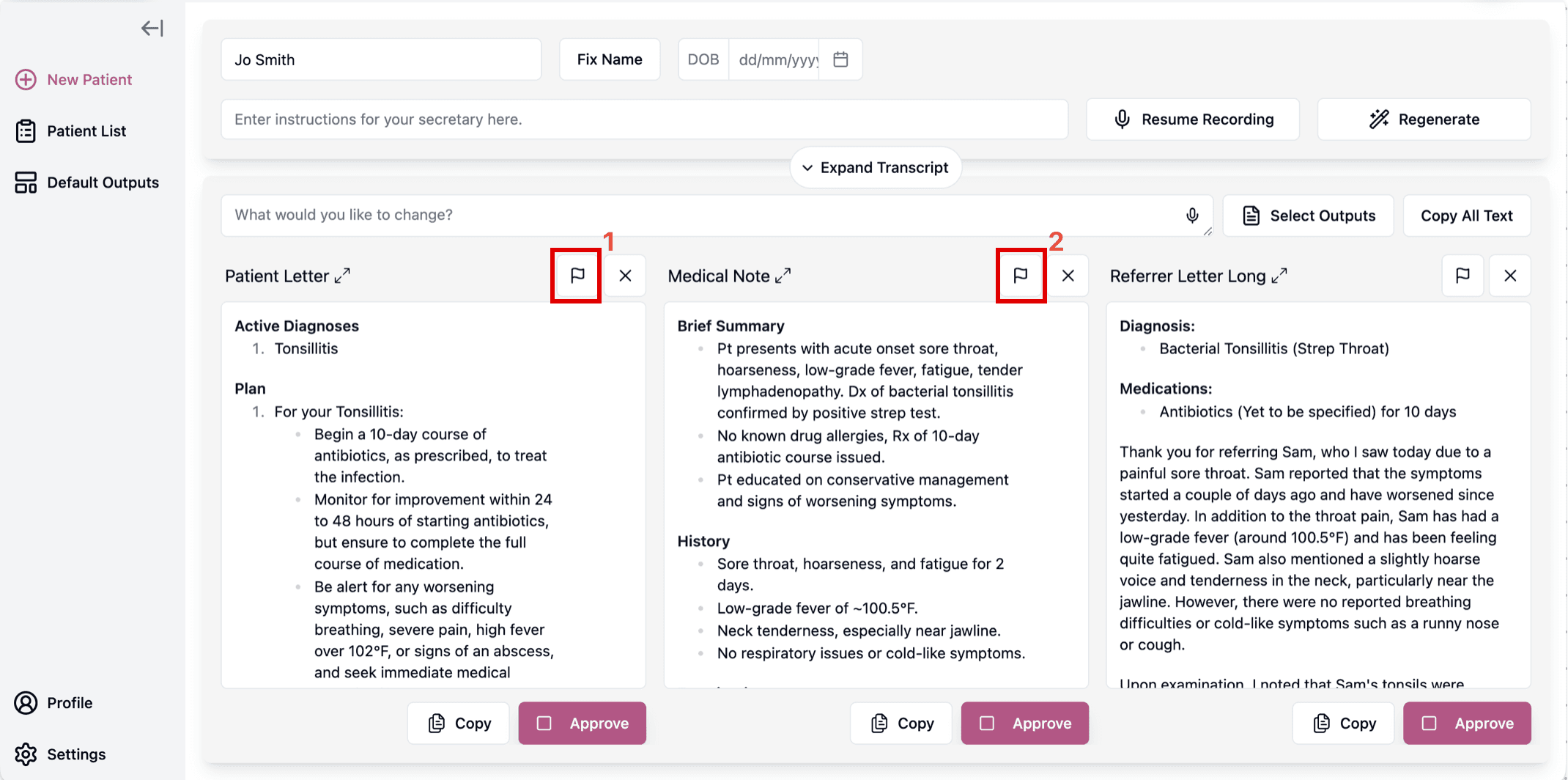
Image above: the red boxes above show the "flag" buttons. Please note, you should click the flag icon thatcorresponds to the correct output. For example (above) number 1 corresponds to thePatient Letter, but, number 2 corresponds to theMedical Note
- When prompted, enter the"Error details"
- Click"Submit"
- If you'd like us to respond to your specific issue,please email us to let us know.
- By default, we don't always respond to individual users. Instead, we review flags periodically in aggregate to improve the system. Therefore, please let us know if you'd like us to look specifically into your flagged issue.
Was this guide helpful?