How to Re-Generate Backup Codes
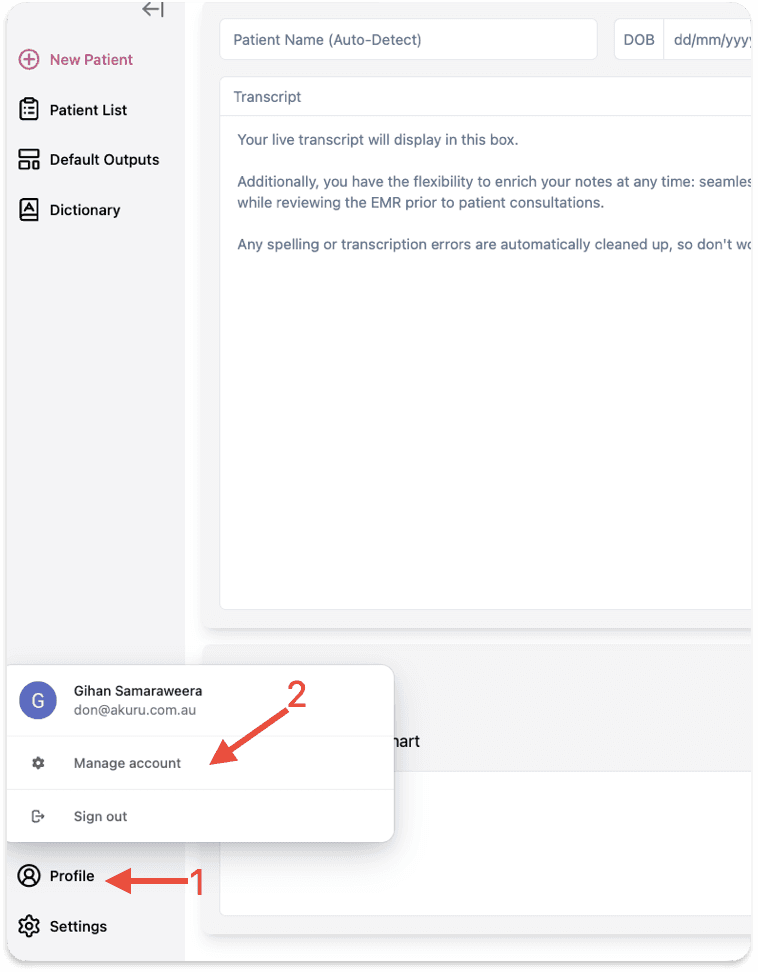
From your main i-scribe home page, select your "Profile" icon at the bottom-left corner (arrow #1 in the image below).
Backup codes are a secondary method of accessing your account if you lose access to your authenticator app. This guide walks you through how to generate them.
Step 1: From your main i-scribe home page,select your "Profile" icon at the bottom-left corner (arrow #1 in the image below).
Step 2: ClickManage Account from the dropdown menu (arrow #2 in the image below).
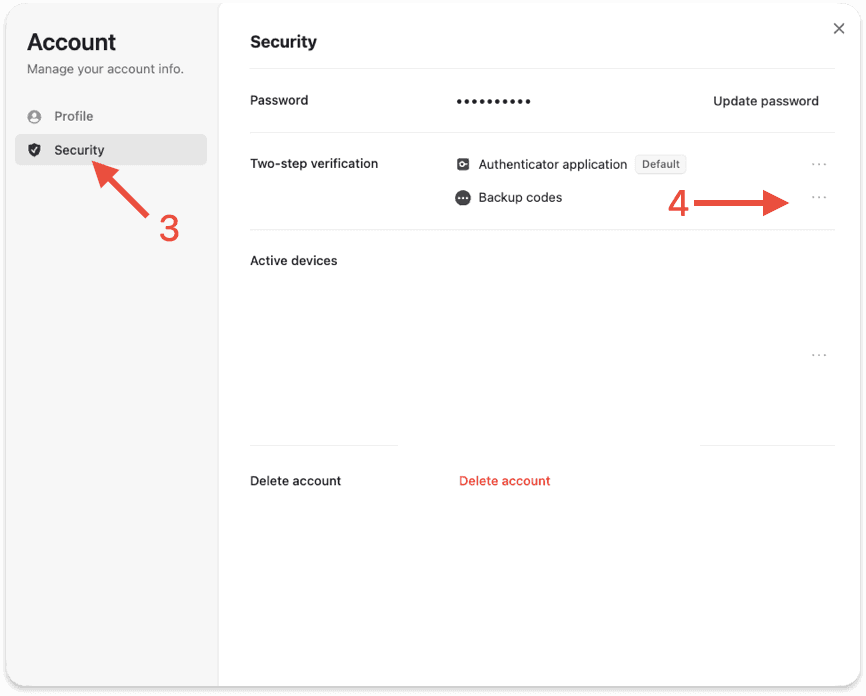
Step 3: In the account settings sidebar, selectSecurity (arrow #3 in the image below).
Step 4: Next toBackup Codes, click thethree horizontal dots (⋯) (arrow #4 in the image below).
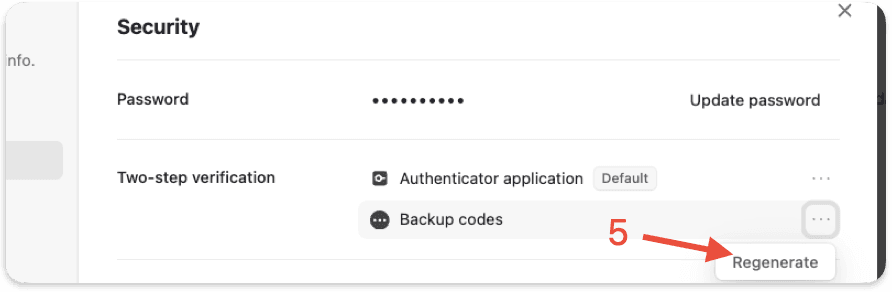
Step 5: SelectGenerate Backup Codes to create a new set (arrow #5 in the image below).
For more on how Akuru keeps your account and data secure, see theAkuru Trust Centre.
Was this guide helpful?