How to remove a secretary
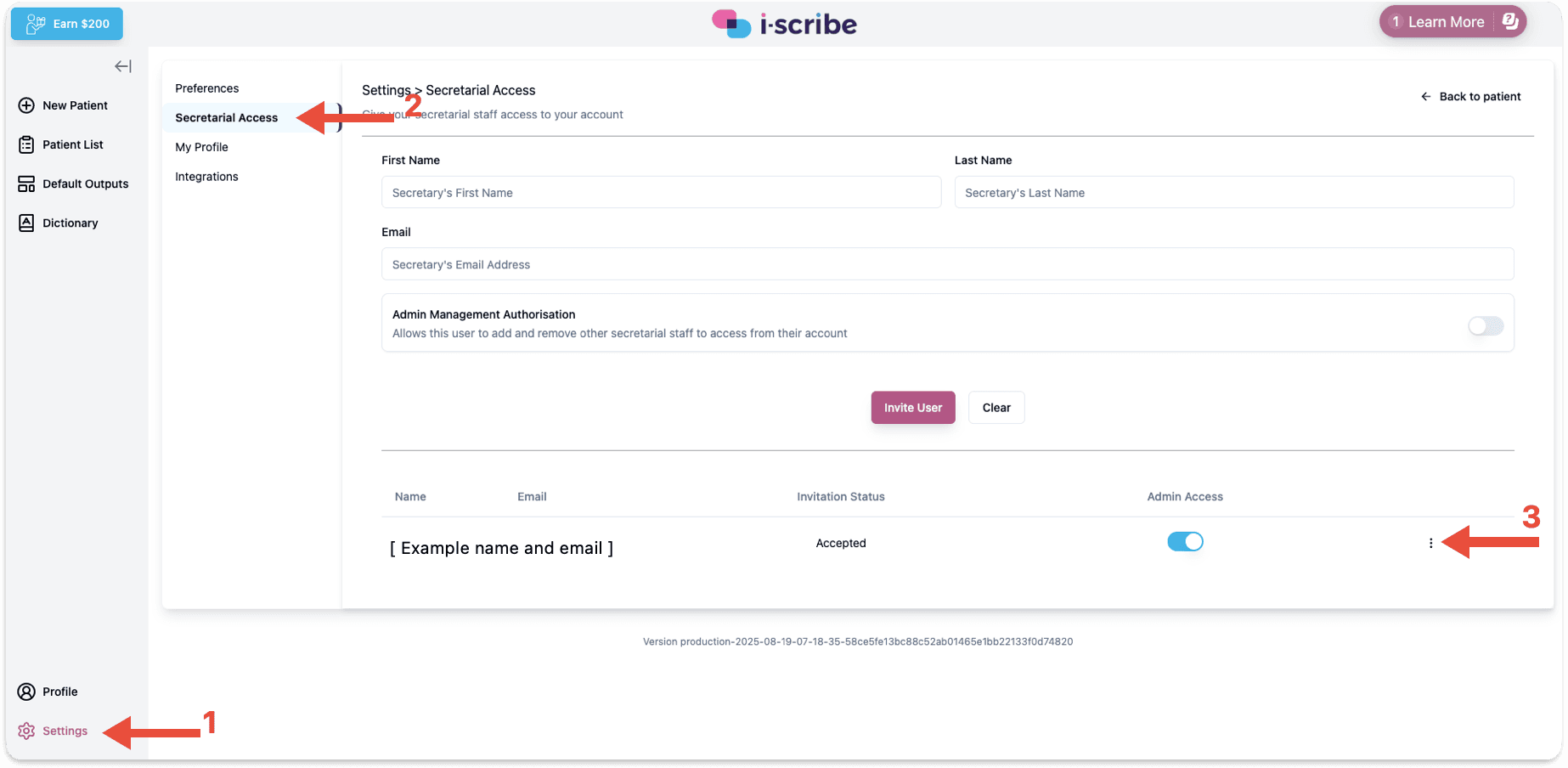
Referring to the image below, while logged in to a clinician account:
Referring to the image below, while logged in to a clinician account:
- Click "Settings" (red arrow number 1)
- Click "Secretarial Access" (red arrow 2)
- Click the three dots (red arrow 3)
- Click "Remove User"
Please let us know if you have any questions
Was this guide helpful?