There's a patient in i-scribe that isn't mine?
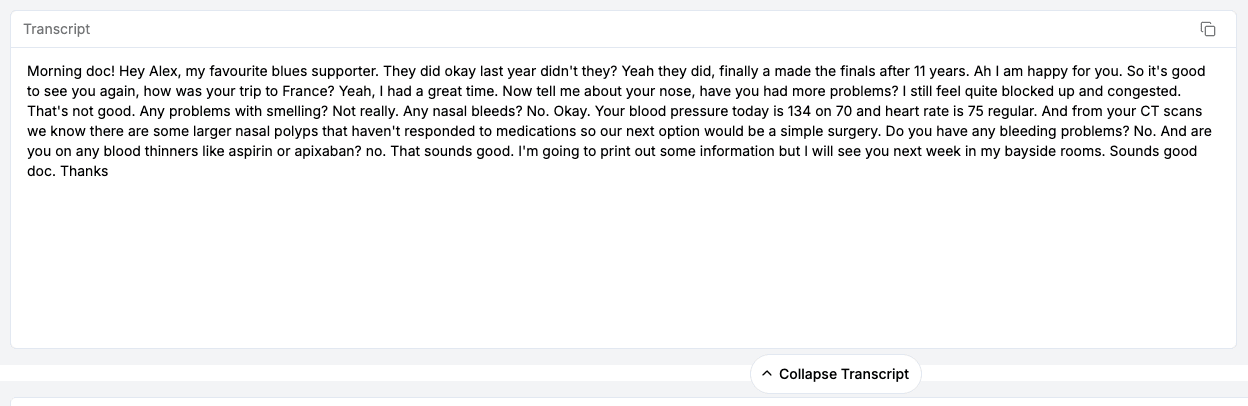
Below is a screenshot of the example transcript that appears during onboarding. It appears during initial onboarding. However, it can be triggered to appear again at any time if you initiative onboarding by clicking the "Learn More" or "Help" button (on the top right of...
Rest assured, we've never had an incident where this has occurred due to an issue with our software. Every time this scenario has occurred it's for one of four reasons below.
1. The factitious example transcript
Below is a screenshot of the example transcript that appears during onboarding. It appears during initial onboarding. However, it can be triggered to appear again at any time if you initiative onboarding by clicking the "Learn More" or "Help" button (on the top right of i-scribe).
2. Another clinician in your clinic has accidentally used your account
This can happen quite easily in a busy clinic. One tip we've discovered is to ask admin staff if anyone else has used your room recently.
3. An accidental recording
It's easy to accidentally click "New Patient" and make a recording that you don't recognise later. This is particularly easy in a busy clinic and when using (and switching between) multiple devices.
4. An Integration created consult
An integration with an EMR can sometimes create a consult that was unintended. For example, this can occur if there was an error in the consult list in the EMR that is integrated
We will always investigate these issues very seriously as patient data is a top priority for us! If you're ever concerned about this issue please let us know immediately!
For more on how Akuru keeps patient data safe and separated, see theAkuru Trust Centre.
Was this guide helpful?